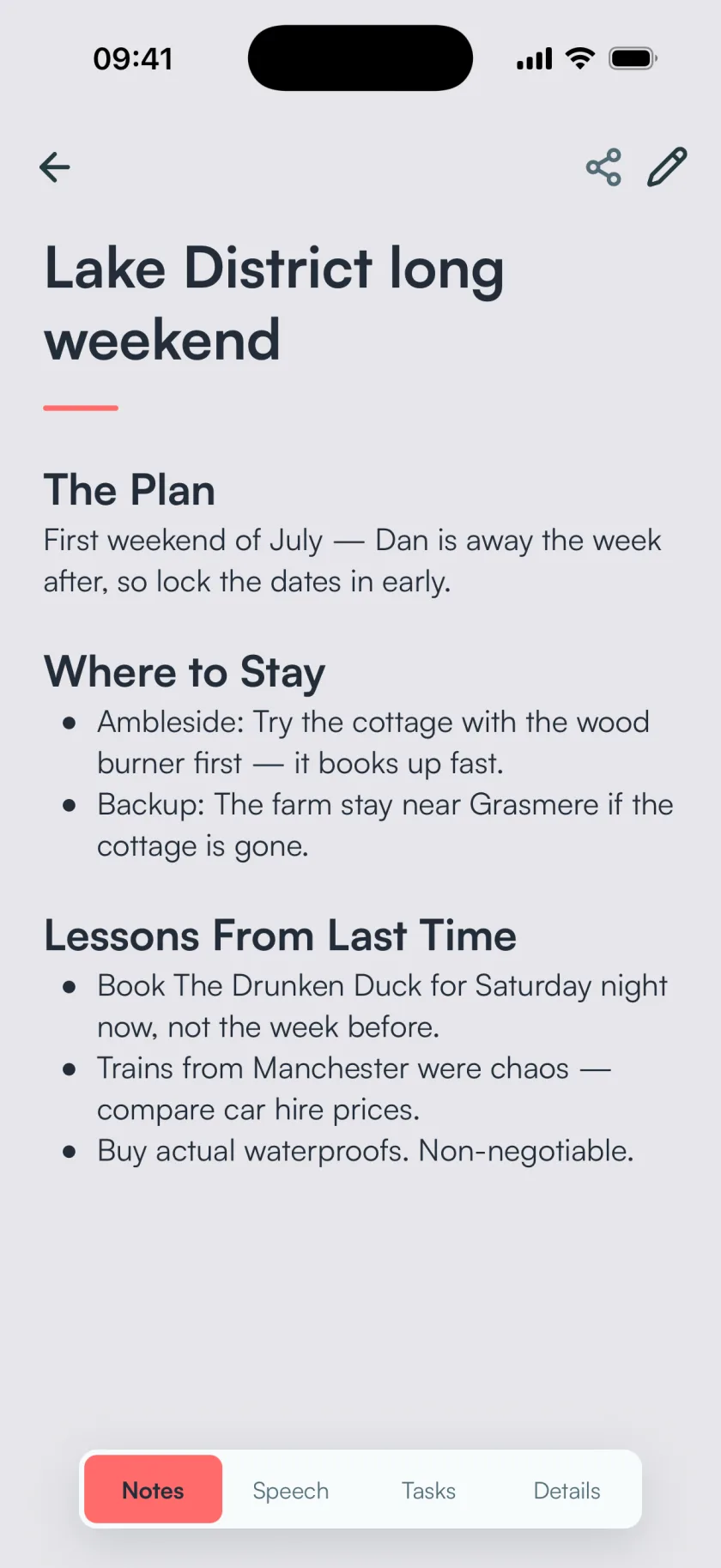
Your ramble, written up
Talk however it comes out. BrainFlow turns it into a note with a title and headings, and keeps the details you mentioned.
“Oh, and we have to book The Drunken Duck this time. We always leave it too late and never get in.”
Tap record and say what's on your mind. BrainFlow writes it up as a proper note and pulls out your to-dos.


Press record and talk for a minute about whatever's on your mind. The demo works in English.
Example: a quick ramble about a weekend away
First weekend of July, since Dan is away the week after. Lock the dates in early.
Trains from Manchester were a nightmare last year. Compare car hire before booking anything.
Proper waterproofs, bought before the trip this time.
Talk however it comes out. BrainFlow turns it into a note with a title and headings, and keeps the details you mentioned.
“Oh, and we have to book The Drunken Duck this time. We always leave it too late and never get in.”
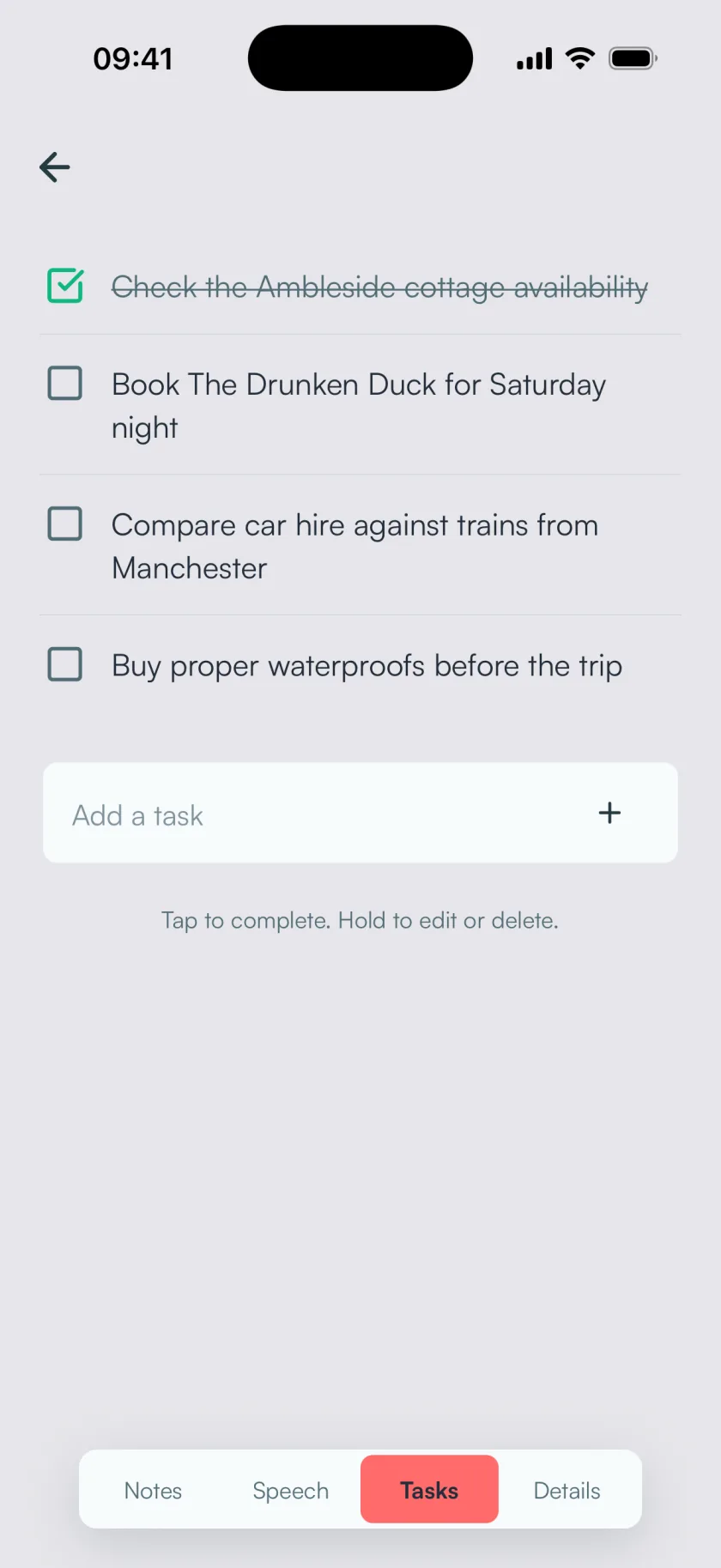
Anything you said you'd do becomes a task. Tick them off as you go, or edit one in place.
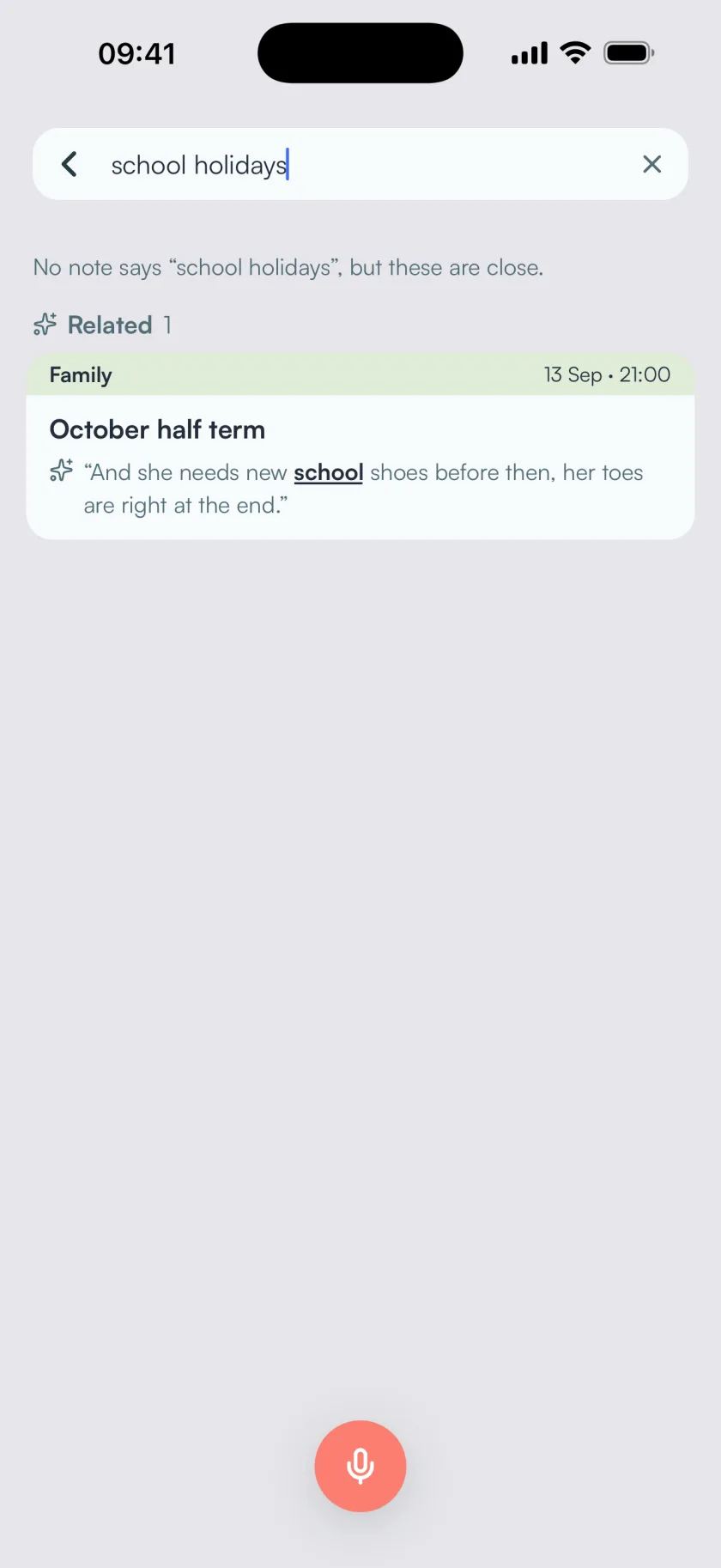
Every note is titled and filed into a folder while it's written. Search looks for what you meant as well as the words you used, so "school holidays" finds your half term plans.
BrainFlow is free for 3 notes a month. BrainFlow Plus removes the limit.
No. BrainFlow opens as a guest, so you can record straight away. When you want to back up your notes or open them on another phone, add Apple, Google or an email code sign-in.
Your notes, transcripts and recordings are stored in your BrainFlow library in the cloud and synced across your devices. You can export or delete them whenever you like, and we never sell your data.
Yes. Import audio or video from your phone (MP3, M4A, WAV, AAC, FLAC, OGG, OPUS, MP4, MOV and more, up to about 100 MB) and BrainFlow pulls out the speech and writes it up.
Yes. Record more into a note or import audio, and BrainFlow rewrites it from everything you've said. Recordings that are still processing wait in your list.
Yes. Export one note or your whole library as Markdown, email a note to yourself, or send it to Notion.
You can record offline. BrainFlow keeps new recordings on your phone until you're back online, then uploads them and writes them up. Browsing your library needs a connection.
Something else? Email hello@brainflow.tech.
It's on iPhone and Android, and your first 3 notes each month are free.